GHL Ongoing Support: Complete Guide to Client Support, Maintenance, Optimization, and Business Growth
Introduction
Building a GoHighLevel system is only the beginning of a successful digital marketing setup.
After a funnel, website, CRM, automation, calendar, AI system, or client portal has been created, the system still needs to be maintained, monitored, updated, and optimized.
This is where Ongoing Support becomes important.
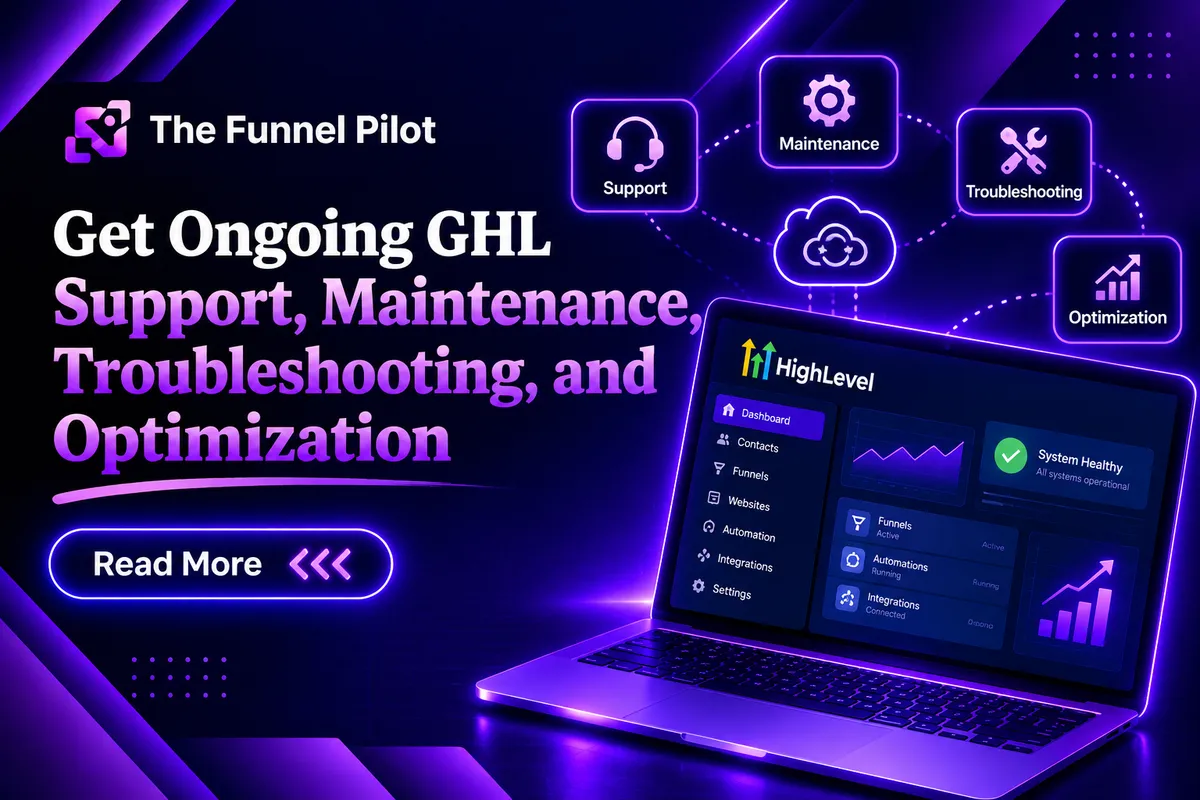
GHL Ongoing Support is the continuous service provided to a business after its GHL system has been built and launched.
Instead of creating the system and leaving the client to manage everything alone, an agency or GHL expert can continue helping with:
Account management
Funnel updates
Website updates
CRM management
Workflow maintenance
Pipeline updates
Calendar management
Forms and surveys
AI updates
Custom code
Integrations
Troubleshooting
Optimization
New features
Technical support
Training
A business can change over time, and its GHL system needs to change with it.
Ongoing support helps keep the system functional, updated, and aligned with the client's current business needs.
What Is Ongoing Support in GHL?
Ongoing Support in GoHighLevel refers to the continuous management, maintenance, troubleshooting, updating, and optimization of a client's GHL system after the initial setup or project has been completed.
For example, an agency may initially build:
Website + Funnel + CRM + Workflows + Calendar + AI
After launch, the client may need:
New funnel pages
New offers
Workflow changes
CRM updates
AI updates
New forms
Calendar changes
Custom code changes
Troubleshooting
Mobile optimization
These ongoing services are part of client support and maintenance.
What Is the Purpose of Ongoing Support?
The main purpose of ongoing support is to keep the client's GHL system working properly and continuously improve it as the business changes.
Ongoing support can help businesses:
Fix technical issues
Keep information updated
Improve existing systems
Add new features
Maintain automations
Optimize funnels
Update websites
Manage CRM systems
Improve AI
Support employees
Solve integration problems
Make regular changes
A GHL system should not be treated as something that is built once and never touched again.
It should be maintained as the business grows.
How Does GHL Ongoing Support Work?
A typical support process can look like this:
Client Requests Support
↓
Issue or Requirement Identified
↓
System Checked
↓
Problem Diagnosed
↓
Solution Planned
↓
Update / Fix Implemented
↓
Testing
↓
Client Review
↓
Optimization
This process helps make sure changes are properly implemented instead of making random updates.
How Many Types of Ongoing Support Are There?
Ongoing support can include many different areas depending on the client's needs.
1. Technical Support
Technical support helps solve problems inside the GHL system.
Examples include:
Broken workflows
Form problems
Calendar issues
Funnel problems
Integration issues
Automation errors
Page issues
User-access problems
The goal is to identify the problem and restore the system to proper operation.
2. Funnel Support
Funnels often need regular updates after launch.
Support can include:
Updating headlines
Changing CTAs
Updating images
Adding sections
Removing sections
Updating offers
Improving mobile layouts
Connecting forms
Updating links
Improving conversion elements
This allows the funnel to evolve with the business.
3. Website Support
Websites may require ongoing content and design updates.
Support can include:
New pages
Page edits
Service updates
Image changes
Navigation updates
Footer changes
Header updates
Mobile optimization
SEO-related page updates
Domain-related configuration
This keeps the website current.
4. CRM Support
CRM systems require maintenance as a business grows.
Support can include:
Custom fields
Tags
Contact organization
Pipeline changes
Opportunity management
Contact cleanup
Lead organization
CRM structure improvements
A clean CRM makes it easier for the client to manage leads and customers.
5. Workflow and Automation Support
Automations are often one of the most important parts of a GHL system.
Ongoing support can include:
Creating new workflows
Editing existing workflows
Fixing workflow issues
Updating triggers
Updating actions
Changing messages
Adding conditions
Improving follow-up sequences
Appointment reminders
Lead nurturing
Re-engagement campaigns
As the business changes, its automations may need to change as well.
6. Pipeline Support
Sales pipelines may need to be updated when a business changes its sales process.
Support can include:
Adding stages
Removing stages
Renaming stages
Updating opportunity processes
Creating new pipelines
Improving lead movement
For example, a service business may change its process from:
New Lead → Contacted → Appointment → Won
to:
New Lead → Qualified → Estimate Scheduled → Estimate Completed → Proposal → Won
Ongoing support allows the CRM to reflect these changes.
7. Calendar Support
Calendars can require regular maintenance.
Support may include:
Adding appointment types
Updating availability
Changing booking settings
Updating appointment information
Connecting calendars
Testing booking processes
Fixing booking-related issues
This is especially important for appointment-based businesses.
8. Forms and Survey Support
Forms and surveys may need to change as the business collects new information.
Support can include:
Adding fields
Removing fields
Updating questions
Changing form design
Connecting forms to workflows
Updating survey questions
Testing submissions
This keeps data collection relevant.
9. AI Support
AI systems require ongoing review and updates.
Support can include:
Updating AI instructions
Updating knowledge
Adding new FAQs
Improving responses
Updating qualification questions
Updating booking instructions
Improving Conversation AI
Improving Voice AI
Adding new business information
For example, if a business launches a new service, its AI system may need to be updated so that it can provide accurate information about that service.
10. Custom Code Support
Custom-coded sections may require maintenance when the rest of the website or funnel changes.
Support can include:
Updating HTML
Updating CSS
Updating JavaScript
Fixing layout issues
Improving responsive behavior
Updating animations
Updating custom buttons
Fixing conflicts
Custom code should be tested after major page changes.
11. Integration Support
Businesses often connect GHL with other platforms.
Ongoing support may include:
Checking integrations
Updating configurations
Troubleshooting data transfer
Testing connected systems
Fixing integration-related issues
A connected system should be monitored whenever an important integration is changed.
12. Account Management Support
An agency can also provide general client-account management.
This may include:
User management
Permissions
Account organization
Asset management
System updates
Client requests
Troubleshooting
General configuration
This is especially useful for businesses that do not have an internal GHL expert.
Ongoing Support and CRM
The CRM is continuously changing as new leads and customers enter the system.
Ongoing CRM support can help maintain:
Contacts
Tags
Custom fields
Opportunities
Pipelines
Conversations
Lead sources
For example:
New Marketing Campaign
↓
New Leads
↓
CRM
↓
New Qualification Requirements
↓
Pipeline Update
The CRM can then be adjusted to support the new process.
Ongoing Support and Funnels
Funnels are not always finished after launch.
Businesses may discover that:
A headline needs improvement
A CTA needs to be changed
A new offer needs to be added
A section needs to be removed
Mobile design needs improvement
A form needs to be updated
Ongoing funnel support allows these changes to happen without rebuilding the entire funnel.
Ongoing Support and Websites
A business website may need regular updates because:
Services change
Prices change
Team members change
Contact information changes
New pages are added
New offers are introduced
Branding changes
Regular support helps keep the website accurate and professional.
Ongoing Support and Automation
Automation requires special attention because one incorrect trigger or action can affect the customer journey.
For example:
Lead Form
↓
Workflow
↓
SMS
↓
↓
Follow-Up
↓
Calendar
If one step stops working, the entire journey may be affected.
Ongoing support helps identify and fix these issues.
Ongoing Support and AI
AI systems can become outdated when the business changes.
For example, if a business:
Adds a new service
Changes its pricing
Changes its booking process
Changes its business hours
Launches a new offer
the AI instructions and knowledge may need to be updated.
Regular AI maintenance helps keep responses relevant and accurate.
Ongoing Support and Custom Code
Custom code can provide advanced functionality, but it may require maintenance.
For example, a business may change:
Page structure
Branding
Buttons
Sections
Forms
Mobile layout
A custom-coded section may need to be adjusted so it continues working properly.
Ongoing Support and Client Training
Support can also include training clients and their team members.
Training may cover:
CRM
Conversations
Pipeline
Calendar
Workflows
Contacts
Forms
Client portal
Courses
AI tools
The goal is to help the client understand how to use the system effectively.
Benefits of GHL Ongoing Support
1. Faster Problem Solving
Clients have someone available to help identify and solve issues.
2. Better System Maintenance
Regular maintenance helps keep the GHL system organized.
3. Continuous Optimization
Funnels, workflows, and websites can be improved over time.
4. Less Technical Work for Clients
Business owners can focus on their business instead of managing every technical detail.
5. Better Customer Experience
Keeping systems updated can help reduce problems in the customer journey.
6. Improved Automation
Workflows can be reviewed and optimized as business processes change.
7. Better AI Performance
AI instructions and knowledge can be updated as the business evolves.
8. Long-Term System Stability
Regular maintenance can help keep the overall system organized and functional.
Real-World Examples of Ongoing Support
Example 1: Marketing Agency Client
A marketing agency builds a complete GHL system for a local business.
The initial system includes:
Funnel
Website
CRM
Pipeline
Forms
Calendar
Workflows
After launch, the client requests:
New service page
New funnel offer
Updated CTA
New automation
CRM changes
The agency handles these updates as part of ongoing support.
Example 2: Online Course Business
An online course business adds new training.
The support team:
Creates new course lessons
Updates the course portal
Updates the sales funnel
Changes the offer
Updates automation
Updates customer communication
This keeps the complete course system synchronized.
Example 3: Service Business
A remodeling company changes its lead process.
Previously:
Lead → Appointment → Sale
New process:
Lead → Qualification → Estimate → Proposal → Sale
The GHL support team updates:
CRM
Pipeline
Forms
Workflows
AI
Follow-up messages
so that the system matches the new business process.
Example 4: AI-Powered Business
A business adds a new service.
The support team updates:
Conversation AI
Voice AI
Knowledge Base
Website
Funnel
Forms
Workflows
Now every part of the system communicates the updated service information.
Common Mistakes With Ongoing Support
1. Only Fixing Problems After They Become Serious
Regular reviews can help identify issues earlier.
2. Making Changes Without Testing
Every important update should be tested.
3. Not Documenting Changes
Keep track of major system changes.
4. Ignoring Mobile Experience
Changes should be checked on mobile devices.
5. Forgetting Automation Dependencies
Changing one part of a system may affect another part.
6. Not Updating AI Information
Outdated AI information can result in poor customer communication.
7. Making Too Many Unnecessary Changes
Support should focus on useful improvements rather than constant unnecessary modifications.
8. No Clear Support Process
Clients should know how to submit requests and what information is needed.
Best Practices for GHL Ongoing Support
Create a Support Process
Have a clear method for receiving and managing client requests.
Prioritize Issues
Critical problems should be handled before minor design changes.
Test Every Major Update
Test forms, workflows, links, calendars, and other affected systems.
Keep Systems Organized
Use consistent naming and organization.
Document Changes
Record important updates and configuration changes.
Review Automations Regularly
Check important workflows for errors or outdated information.
Keep AI Updated
Review AI instructions and knowledge when business information changes.
Monitor Funnels
Look for areas that may need design or conversion improvements.
Review CRM Structure
Make sure pipelines, tags, and custom fields remain useful.
Provide Client Training
Help clients understand how to use the system.
How to Build a Complete Ongoing Support System
Step 1: Understand the Client's System
Review the client's:
CRM
Funnels
Website
Workflows
Pipelines
Calendars
AI
Forms
Integrations
Step 2: Create a Support Process
Define how clients submit requests.
Step 3: Categorize Requests
Requests can be categorized as:
Technical issue
Design update
Automation update
CRM update
AI update
Funnel update
Website update
New feature
Optimization
Step 4: Prioritize the Request
Determine which requests need immediate attention.
Step 5: Implement the Change
Make the required update.
Step 6: Test the Change
Check the affected system.
Step 7: Check Related Systems
Make sure the change did not negatively affect another part of the customer journey.
Step 8: Update the Client
Explain what was changed.
Step 9: Document the Work
Keep a record of important changes.
Step 10: Continue Monitoring
Review the system regularly and identify future improvements.
Complete Ongoing Support Customer Journey
A professional support process can look like this:
Client Launches GHL System
↓
System Monitoring
↓
Client Sends Request
↓
Request Reviewed
↓
Issue / Update Identified
↓
Priority Assigned
↓
Work Completed
↓
Testing
↓
Quality Check
↓
Client Updated
↓
Changes Documented
↓
Ongoing Monitoring
↓
Optimization
This creates a continuous improvement cycle.
Ongoing Support vs One-Time GHL Setup
A one-time setup focuses mainly on building the initial system.
For example:
Build Funnel
Build Website
Set Up CRM
Create Workflows
Connect Calendar
Configure AI
Launch
Ongoing support continues after launch.
It focuses on:
Maintain
Fix
Update
Optimize
Improve
Support
The two services can work together.
A business may first need a complete GHL setup and then ongoing support to maintain and improve that system.
Ongoing Support and Business Growth
As a business grows, its GHL system usually needs to grow with it.
For example:
Small Business
May need:
One funnel
One pipeline
One calendar
Basic automation
Growing Business
May need:
Multiple funnels
Multiple pipelines
More workflows
AI
Advanced CRM
More calendars
Established Business
May need:
Complex automation
Multiple campaigns
Advanced AI
Multiple user roles
More integrations
Continuous optimization
Ongoing support allows the GHL system to evolve with the business.
Why Is Ongoing Support Important?
A GHL system is part of a business's daily operations.
If the funnel stops working, leads may be lost.
If a workflow stops working, follow-up may be missed.
If a calendar is configured incorrectly, appointments may not be booked correctly.
If AI information is outdated, customers may receive incorrect information.
If a website contains outdated information, visitors may become confused.
Ongoing support helps businesses keep these systems updated and functioning as intended.
Ongoing Support as a Long-Term GHL Service
For a GHL agency or expert, ongoing support can become an important long-term service.
Instead of the relationship ending after the initial project, the agency can continue helping the client with:
Maintenance
Updates
Troubleshooting
Optimization
New features
Training
Automation
AI
Funnel improvements
This creates a long-term partnership between the agency and the client.