
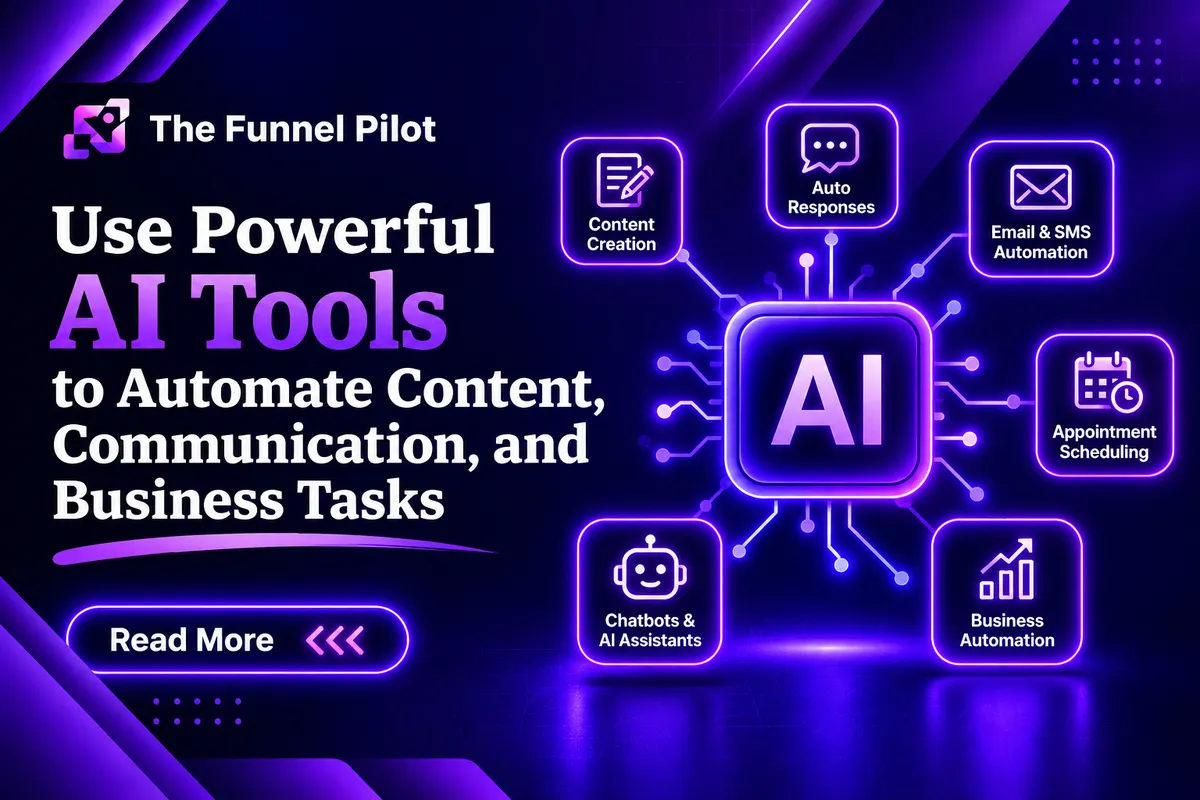
GHL AI Tools: Complete Guide to AI-Powered Marketing, Automation, and Business Growth
Introduction
Artificial Intelligence has become an important part of modern marketing, sales, customer service, and business automation.
GoHighLevel includes different AI-powered tools that can help businesses save time, communicate with leads, create content, automate repetitive tasks, and improve the customer experience.
Instead of manually handling every conversation, follow-up, response, or content task, businesses can use AI to support their daily operations.
GHL AI Tools can work together with other parts of the platform, including:
CRM
Funnels
Websites
Forms
Surveys
Workflows
Pipelines
Calendars
Conversation AI
Voice AI
Client Portals
Online Courses
Reputation Management
Marketing Automation
The real value of AI comes from connecting these tools together to create a complete automated customer journey.
What Are AI Tools in GHL?
AI Tools in GoHighLevel are features that use artificial intelligence to help businesses perform different marketing, communication, sales, and automation tasks.
These tools can help with things such as:
Writing content
Generating marketing copy
Responding to customers
Qualifying leads
Answering questions
Following up with leads
Booking appointments
Summarizing conversations
Creating content ideas
Improving communication
Automating repetitive tasks
AI does not have to replace the entire business process.
Instead, it can work as an assistant that helps the business perform tasks faster and more efficiently.
What Is the Purpose of AI Tools in GHL?
The main purpose of AI Tools is to reduce manual work and improve the speed and consistency of business operations.
Businesses can use AI to:
Save time
Respond faster
Improve lead engagement
Automate repetitive tasks
Support sales teams
Improve customer service
Generate marketing content
Qualify leads
Book appointments
Follow up with prospects
Organize customer information
Improve productivity
For example, instead of a business owner manually responding to every common question, an AI-powered system can answer frequently asked questions and direct qualified prospects toward the next step.
How Do GHL AI Tools Work?
AI tools work by using information, instructions, customer data, and business context to generate useful responses or perform specific tasks.
A simple AI customer journey could look like this:
Visitor
↓
Website/Funnel
↓
AI Interaction
↓
Lead Qualification
↓
CRM Contact
↓
Pipeline
↓
Workflow
↓
Appointment Booking
↓
Sales Follow-Up
The AI handles specific tasks while GHL manages the rest of the customer journey.
How Many Types of AI Tools Can Be Used in GHL?
There are several important categories of AI-powered tools and use cases within a GHL system.
1. AI Content Generation
AI can help create marketing content faster.
It can assist with:
Headlines
Subheadlines
Marketing copy
Email content
SMS messages
Social media ideas
Product descriptions
Service descriptions
Call-to-action copy
Blog ideas
For example, a business can use AI to create different versions of a headline and then select the version that best matches its marketing strategy.
2. Conversation AI
Conversation AI can communicate with leads and customers through supported messaging channels.
It can help:
Answer questions
Qualify leads
Provide information
Handle common objections
Collect contact information
Start conversations
Follow up
Help prospects move toward booking
A simple conversation can look like:
Lead: What services do you provide?
AI: We help businesses with marketing systems, funnels, automation, and CRM setup.
Lead: Can I book a call?
AI: Yes. What day works best for you?
The AI can then continue the booking process according to the business instructions.
3. Voice AI
Voice AI allows businesses to use AI-powered conversations over supported voice channels.
It can be useful for:
Answering calls
Qualifying leads
Handling common questions
Booking appointments
Following up
Routing calls
Providing business information
For example, a service business can use Voice AI to answer incoming calls and help qualified prospects move toward scheduling an appointment.
4. AI Lead Qualification
AI can help determine whether a lead may be a good fit for a business.
The AI can ask questions such as:
What type of business do you run?
What service are you looking for?
What is your main goal?
How soon are you looking to get started?
The answers can then be used to help organize the lead and determine the next step.
5. AI Appointment Booking
AI can help guide prospects toward booking an appointment.
A basic process can be:
Conversation
↓
Collect Name
↓
Collect Phone
↓
Collect Email
↓
Ask Preferred Time
↓
Ask Preferred Day
↓
Provide Available Options
↓
Book Appointment
This reduces the amount of manual work required from the sales team.
6. AI Follow-Up
Many businesses lose potential customers because leads do not receive timely follow-up.
AI can assist with follow-up conversations when properly configured.
For example:
Lead submits form
↓
CRM creates contact
↓
Workflow starts
↓
AI follows up
↓
Lead responds
↓
AI continues conversation
↓
Appointment booked
This can help businesses maintain communication with prospects.
7. AI Customer Support
AI can answer common customer questions using approved business information.
Examples include:
Business hours
Services
Pricing information
Processes
Frequently asked questions
Booking information
General company information
For complex questions, the AI can direct the customer to a human team member when appropriate.
8. AI FAQ Assistant
Businesses often receive the same questions repeatedly.
An AI assistant can help answer common questions based on the information provided to it.
For example:
Customer: Do you offer consultations?
AI: Yes, consultations are available. I can help you find an available appointment time.
This can reduce repetitive manual communication.
9. AI Content Improvement
AI can also help improve existing marketing content.
For example, it can assist with:
Rewriting text
Making copy clearer
Improving grammar
Creating shorter versions
Creating longer versions
Improving headlines
Creating CTA variations
Adjusting tone
This can be useful when creating funnel and website content.
10. AI Review and Reputation Support
AI can also assist businesses with reputation-management processes.
For example, AI-supported workflows can help businesses:
Request reviews
Follow up with customers
Respond to review-related communication
Organize reputation workflows
The business should still maintain appropriate oversight of public responses.
AI Tools and CRM
The CRM is one of the most important parts of an AI-powered GHL system.
When a lead interacts with an AI system, relevant information can be associated with the contact record.
The CRM can contain information such as:
Name
Phone
Email
Lead source
Tags
Custom fields
Conversation history
Pipeline stage
Appointment information
This gives the business a central location for managing the customer relationship.
AI Tools and Custom Fields
Custom fields can help store specific information collected during an AI conversation.
For example, a business could have custom fields for:
Business type
Service required
Budget range
Lead priority
Project type
Preferred appointment time
Qualification status
AI can collect information while the GHL system stores and organizes it.
AI Tools and Workflows
AI becomes more powerful when connected to workflows.
A workflow can trigger actions based on customer behavior.
For example:
New Lead
↓
AI Conversation
↓
Qualification
↓
Tag Added
↓
Workflow Trigger
↓
SMS/Email Follow-Up
↓
Calendar Booking
This creates a more automated customer journey.
AI Tools and Pipeline
AI can also work alongside the sales pipeline.
For example, leads can move through stages such as:
New Lead
→ Contacted
→ Qualified
→ Appointment Booked
→ Appointment Completed
→ Proposal
→ Won
→ Customer
AI can help with communication and qualification while the pipeline gives the business a visual way to track lead progress.
AI Tools and Calendars
AI can help guide prospects toward appointment booking.
Instead of asking a lead to navigate the entire booking process alone, the AI can have a short conversation and guide them toward an available appointment.
This can be especially useful for:
Consultations
Sales calls
Service estimates
Coaching calls
Discovery calls
Demonstrations
AI Tools and Forms
Forms collect structured information, while AI can continue the conversation afterward.
For example:
Lead submits form
↓
Contact created
↓
AI follows up
↓
AI asks qualification questions
↓
Lead becomes qualified
↓
Calendar booking
This creates a combination of structured data collection and conversational engagement.
AI Tools and Surveys
Surveys can collect specific information from customers.
AI can then be used to support the next stage of the customer journey.
For example:
Customer completes survey
↓
Information stored
↓
AI or workflow responds
↓
Follow-up action
This can be useful for onboarding, feedback, qualification, and customer research.
AI Tools and Funnels
AI can be used as part of a funnel's conversion process.
A funnel may include:
Landing Page
↓
Offer
↓
Form
↓
AI Conversation
↓
Qualification
↓
Calendar
↓
Appointment
Custom AI interactions can help prospects receive immediate assistance instead of leaving the funnel without taking action.
AI Tools and Websites
AI can also support website visitors.
A website visitor may have questions before contacting the business.
An AI assistant can help provide answers and guide the visitor toward:
Contacting the business
Submitting a form
Booking an appointment
Learning about a service
Taking the next step
This can make a website more interactive.
AI Knowledge Base
A knowledge base is especially important when using AI for customer communication.
The AI needs accurate business information so that it can provide useful responses.
A knowledge base can contain information such as:
Services
Business information
FAQs
Policies
Processes
Product information
Course information
Support information
The better the available information and instructions, the more useful the AI experience can become.
AI Instructions and Prompts
AI needs clear instructions.
A good AI instruction system should define:
Who the AI is
What the AI does
What services the business provides
What questions it should ask
What information it should collect
How it should respond
What topics are outside its scope
When it should hand the conversation to a human
For example, if the goal is appointment booking, the AI should focus on helping the prospect move toward the appointment rather than having unnecessary conversations.
Short AI Responses
AI conversations should normally be easy to understand.
Long responses can make conversations feel unnatural.
For customer communication, short responses can often work better.
Instead of giving a large paragraph, the AI can:
Answer the question
Ask one relevant question
For example:
“Yes, we offer funnel optimization. What type of business do you run?”
This keeps the conversation moving.
Human Handoff
AI should not be expected to handle every situation.
There should be a process for transferring complex conversations to a human team member.
Human support can be useful when:
The customer has a complex issue
The AI does not have enough information
A customer requests a human
The situation requires manual review
The conversation becomes outside the AI's scope
AI should support the team, not create unnecessary problems for the team.
Benefits of GHL AI Tools
1. Saves Time
AI can handle repetitive tasks and common conversations.
2. Faster Responses
Customers can receive assistance quickly.
3. Better Lead Engagement
Immediate communication can help keep prospects engaged.
4. Automated Qualification
AI can ask predefined questions and collect useful information.
5. Appointment Booking
AI can guide qualified prospects toward scheduling.
6. Consistent Communication
Clear instructions can help maintain a consistent communication style.
7. Scalable Communication
Businesses can use AI to support a larger volume of conversations.
8. Improved Productivity
Teams can focus more on tasks that require human judgment.
Real-World Examples of GHL AI Tools
Example 1: Marketing Agency
A marketing agency receives leads through a funnel.
The process is:
Facebook/Google Ad
↓
Landing Page
↓
Form
↓
CRM
↓
AI Follow-Up
↓
Lead Qualification
↓
Calendar
↓
Sales Call
The AI helps communicate with leads while the sales team focuses on qualified prospects.
Example 2: Local Service Business
A local service business receives calls and messages from potential customers.
AI can help:
Answer common questions
Ask about the required service
Collect contact information
Qualify the lead
Help schedule an appointment
The information can then be stored in the CRM.
Example 3: Online Course Business
An online course business can use AI to help visitors understand:
What the course teaches
Who the course is for
Course features
Enrollment information
Common questions
The AI can then guide interested prospects toward the appropriate offer or next step.
Example 4: Appointment-Based Business
A business that depends on appointments can use AI to help with:
New Lead
↓
AI Conversation
↓
Qualification
↓
Appointment Booking
↓
Reminder Workflow
↓
Appointment
↓
Follow-Up
This creates a complete automated booking process.
Common Mistakes When Using AI Tools
1. Giving AI Poor Instructions
If the instructions are unclear, the AI may not behave as expected.
2. Providing Incorrect Information
AI should have accurate and updated business information.
3. Making AI Responses Too Long
Long responses can make conversations feel less natural.
4. Asking Too Many Questions
AI should collect the information that is actually needed.
5. Repeating Information
The AI should avoid repeating the same answer unnecessarily.
6. No Human Handoff
There should be a clear process for situations AI cannot handle.
7. Using AI for Everything
Not every task requires AI.
Some situations are better handled by a human or a normal automation.
8. Not Testing the AI
AI should be tested with different customer questions before being used extensively.
Best Practices for GHL AI Tools
Keep AI Instructions Clear
Use simple and specific instructions.
Define the AI's Role
Clearly explain what the AI should and should not do.
Provide Accurate Information
Keep the knowledge base and business information updated.
Keep Conversations Short
Use concise responses that move the conversation forward.
Ask Relevant Questions
Ask one useful question at a time when possible.
Define Qualification Rules
Clearly determine what makes a lead qualified.
Connect AI With CRM
Store important customer information in the CRM.
Connect AI With Workflows
Use workflows to automate follow-up and other actions.
Connect AI With Calendars
Make it easy for qualified leads to book appointments.
Test Before Launch
Test common questions, unexpected questions, booking requests, and handoff scenarios.
How to Build a Complete AI System in GHL
Step 1: Define the Goal
First decide what you want AI to accomplish.
For example:
Lead qualification
Customer support
Appointment booking
Follow-up
FAQ support
Step 2: Create the Knowledge Base
Add accurate information about the business, services, products, and processes.
Step 3: Create AI Instructions
Define the AI's role, tone, questions, rules, and limitations.
Step 4: Connect the CRM
Make sure important contact information is stored correctly.
Step 5: Create Custom Fields
Create fields for information that needs to be collected.
Step 6: Create Workflows
Build automation for follow-up and other actions.
Step 7: Connect the Calendar
If appointment booking is part of the goal, connect the appropriate calendar.
Step 8: Define Human Handoff
Create rules for when a human should take over.
Step 9: Test the AI
Test different customer conversations.
Step 10: Monitor and Improve
Review conversations and update instructions, knowledge, and workflows when necessary.
Complete AI-Powered Customer Journey
A complete GHL AI system can look like this:
Traffic
↓
Funnel / Website
↓
Form or Chat
↓
AI Conversation
↓
Lead Qualification
↓
CRM
↓
Pipeline
↓
Workflow
↓
AI Follow-Up
↓
Calendar
↓
Appointment
↓
Reminder
↓
Sales Process
↓
Client Onboarding
↓
Client Portal / Course
This shows how AI can become part of the complete GHL ecosystem.
Why Are AI Tools Important for Businesses?
Businesses need to respond quickly and manage customer interactions efficiently.
AI can help reduce repetitive work while keeping the customer journey organized.
Instead of using AI as a separate tool, businesses can connect it with their existing GHL systems.
The result can be a more connected process:
Marketing + CRM + Automation + AI + Sales + Customer Management
This is one of the biggest advantages of using AI inside an all-in-one platform.
AI Tools vs Traditional Automation
Traditional automation usually follows predefined rules.
For example:
If form submitted → Send SMS
AI can provide more conversational interaction.
For example:
Lead asks question → AI understands the question → AI responds → AI asks relevant question → Next action
Both approaches can be useful.
The strongest systems often combine traditional workflows with AI.
AI + Automation: The Best Combination
AI and automation perform different jobs.
AI
Helps with:
Conversations
Understanding questions
Generating responses
Qualification
Natural communication
Automation
Helps with:
Triggers
Actions
Notifications
Tags
Pipeline updates
Follow-ups
Scheduling
Data management
Together they can create a powerful business system.